


Your receipt knows more.
GroceryLens turns your grocery receipts into structured purchases with AI and shows you where your money goes.
[SIGNUP_FORM]
How it works
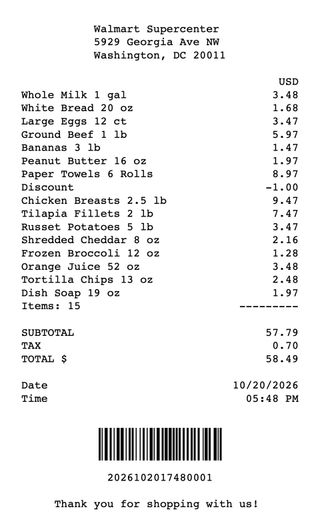
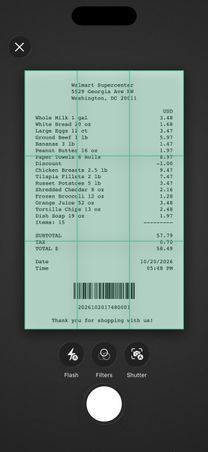
Snap the receipt
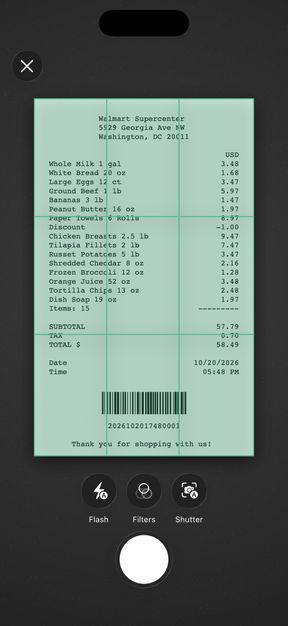
Take a photo on the way home, or pick a PDF or image you already have.
Nothing to type
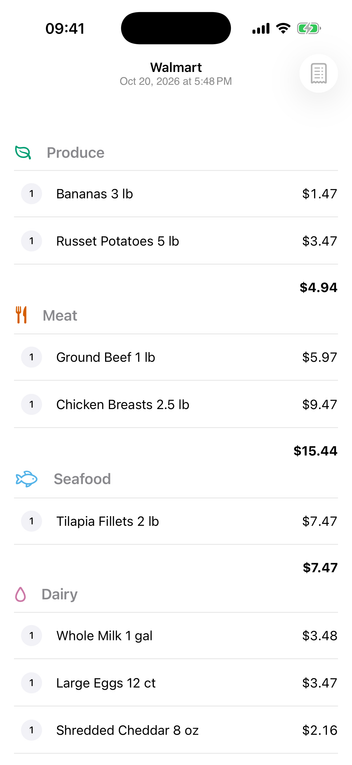
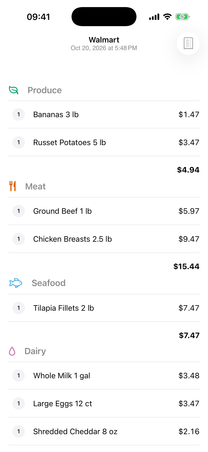
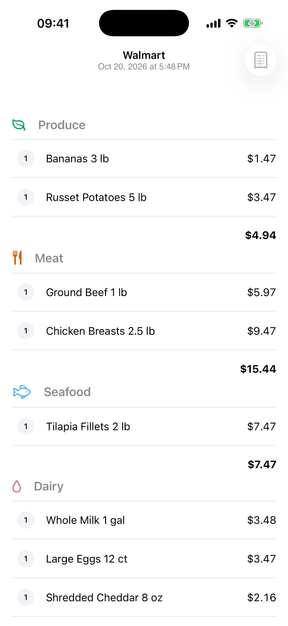
Every item lands in its category with its price. Discounts are marked, and deposits are listed separately.
Your month, in numbers
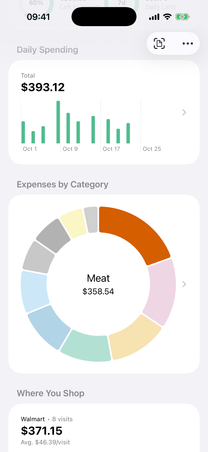
Each receipt flows into your budget and charts, so you see what's left to spend this month.
From receipt to insight
AI receipt scanning
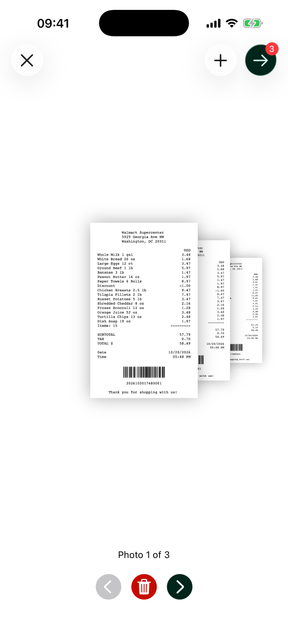
Point the camera at a receipt, pick it from your photos or open a file. Receipts with several pages work too. The AI reads the merchant, every item and the total.
Import PDFs and images
Bring in the receipts you already have, as a PDF or an image from Photos or Files. Collect several in one import and check them before they are saved.
All receipts in one list
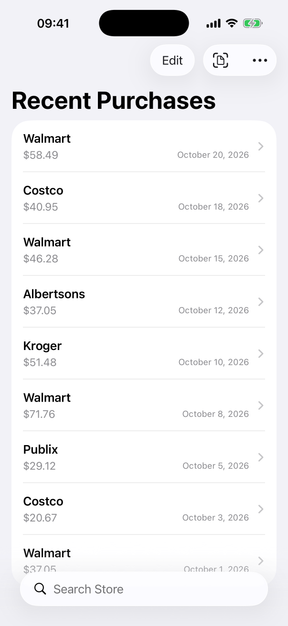
Your receipts line up as your recent purchases, the newest first, each with its shop, its total and its date. Search by shop, open a receipt with a tap or swipe it away to delete it.
Digital receipt
Every receipt stays as a digital receipt, with its items grouped by category, reduced prices shown, the total with tax and the original image or PDF one tap away.
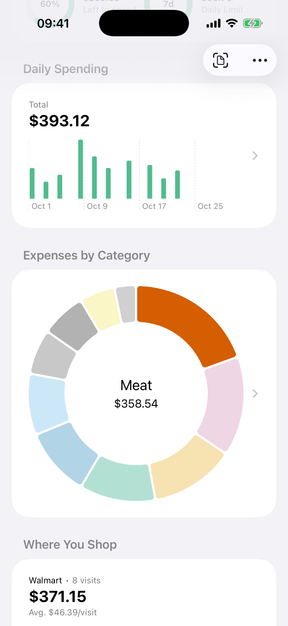
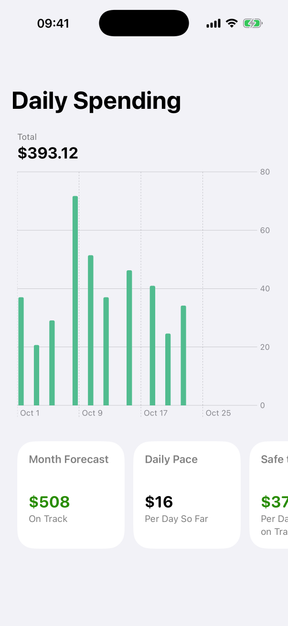
Spending at a glance
Charts break your spending down by category, merchant, day, month and year, so you see where the money goes.
Key figures
The numbers behind the charts: a forecast for the end of the month, the comparison with last month, your top category and the merchant you visit most.
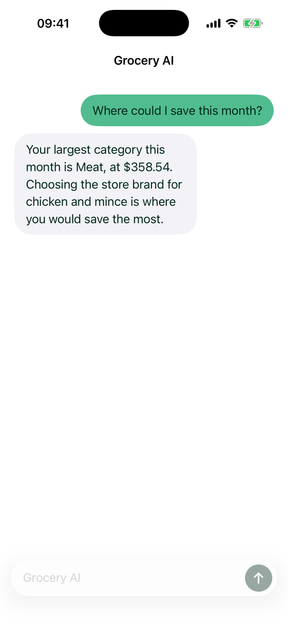
Ask Grocery AI
Ask in plain language, such as where you could save. The answer comes from your own receipt history.
Privacy and trust
Scanning
Read for you, not for Google.
Gemini reads your receipt through our server, and Google does not use your receipts to improve its products. The receipt and its image are stored in your account.
Grocery AI
A conversation we do not keep.
The app keeps your conversation in memory only, and our server does not keep it.
Offline-first
Your receipts need no signal.
Your receipts and charts stay readable without a connection. Scanning and Grocery AI need one.
Ads
No ads. No tracking.
The app shows no ads, uses no advertising identifier and does not track you across apps or websites. We do not sell your data.
Crash reports
Off until you turn them on.
The app sends crash reports only once you turn them on, and you can turn them off again at any time.
EU hosting
Your receipts live in Frankfurt.
We store your account and your receipts in Frankfurt, Germany.
Deleting
Gone when you say so.
You can delete single receipts or your whole account in the app at any time.
Pricing
GroceryLens Plus
The App Store shows the price in your currency before you subscribe.
The App Store shows the price in your currency before you subscribe.
Included every month
- 100 receipt scans
- Import PDFs and images
- Digital receipt
- Spending at a glance
- Key figures
- The Grocery AI assistant
7 daysfree
The free week is available once per Apple Account. There is no free tier.
Frequently asked questions
When does GroceryLens launch?
There is no date yet. Sign up and we'll email you when it ships.
Is there an Android app?
Not yet, the app starts on iOS.
What happens to my data?
We do not sell your data and do not track you across apps or websites. We store your receipts in Frankfurt, Germany. An AI model from Google reads them through our own server, and Google does not use them to improve its products. The app sends crash reports only if you turn them on, and you can delete single receipts or your whole account in the app at any time.
Does GroceryLens work offline?
You can read and search your receipts and see your charts without a connection. Scanning a receipt and asking Grocery AI need a connection.
Which receipts can it read?
Grocery receipts only. Scan them with the camera, including multi-page scans, or import photos, images and PDFs from Photos or Files.
What can I do without a subscription?
There is no free version. Scanning and importing receipts and asking Grocery AI need GroceryLens Plus, which comes as a monthly or an annual subscription through the App Store. You can try it free for 7 days, once per Apple Account.
What happens when my subscription ends?
Without a subscription, GroceryLens is read-only. Receipts you have already scanned stay readable and deletable. Scanning new receipts and asking Grocery AI are locked.
Get notified when GroceryLens launches
Sign up and we'll email you as soon as it ships.
[SIGNUP_FORM]